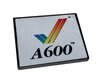
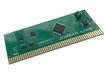
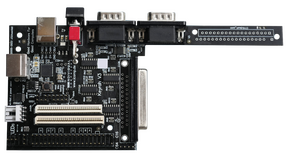
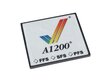
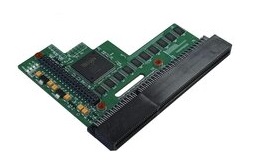
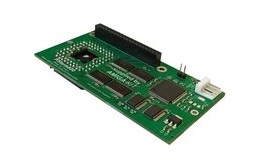
Easy, quick transfer of files between a PC/Mac and Commodore-Amiga 1200 or 600 ¹
Features

Transfer large amounts of files and data from a PC/laptop/Mac to your Amiga ¹
Backup files on your Amiga hard disk- transfer them to a PC/laptop/Mac and burn to CD ²
CF Digital Camera photos can be accessed with this versatile adapter.
Installation
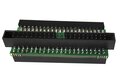
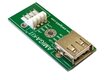
The Amiga Kit compact flash adapter simply plugs into PCMCIA slot on the side of your Amiga and allows your Amiga to read and write to Compact Flash cards.
Supplied with Amiga Kit software on floppy disk and instructions. Amiga Kit software includes our exclusive EasyADF application - a quick and easy tool to make or uncompress ADF and ADZ images. Additionally EasyADF can also uncompress LHA archives. EasyADF is ideal for creating ADF images for use with AmigaSYS and WinUAE.
You do not necessarily need a hard disk to use this adapter- the floppy disk supplied is a stand-alone boot disk as well as being a hard disk installation disk.
|
| Adapter slots into side
of Amiga 600 or 1200 |
|
Package Contents
 Amiga Kit PCMCIA CF Adapter Amiga Kit PCMCIA CF Adapter
Amiga Kit Boot/HD-Install Disk with EasyADF software
Printed Documentation
Compatibility
Amiga 1200 or Amiga 600 with Kickstart/OS 2.05, 2.1, 3.0, 3.1, 3.5 or 3.9
|
|
| | | | |
EasyADF tool included
(click to enlarge) | | EasyADF Transfer ADF
(click to enlarge) | | EasyADF Make ADF
(click to enlarge) |
| |
|
EasyADF Backup Tool
(click to enlarge) | |
EasyADF Disk Viewer
(click to enlarge) |
Warranty
Free worldwide
2 Year guarantee against hardware defects (return to base warranty).
¹
PC/Mac may require a compact flash card reader. You will require a compatible compact flash - see configuration options below. ²
PC/Mac will require CDRW drive to burn CF card contents to CDROM.